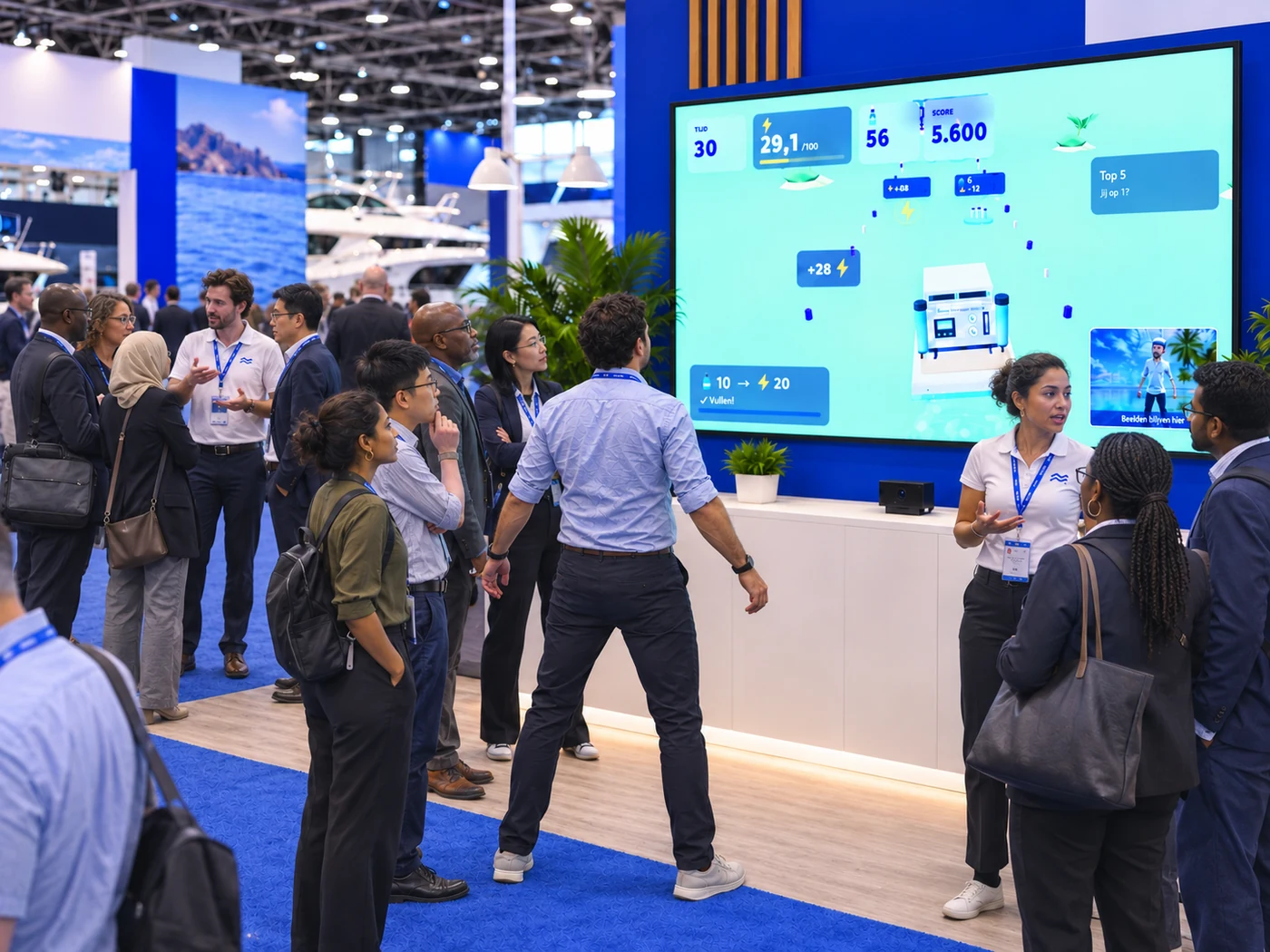
Your body provides the controls
A camera near the screen follows the player’s movements. The player moves to steer the boat and follow the course. Each round has sixty seconds of active play. Explanation, joining, and the handover to the next visitor take additional time, which matters when planning your booth.
This control method is visible to spectators. Passers-by see someone moving and can follow the effect on the large display. Your product story can then appear through the vessel, the environment, or the choices the player makes along the way.
Make the interaction say something about your product
A custom world is useful when it supports what you want to explain. In the boat game shown, a product sits on the vessel. That offers a concrete starting point for discussing its application after the game. For another execution, we explore which product feature could become a natural part of the interaction.
Keep the message focused. Players need to understand the controls and challenge while staff retain room for a substantive conversation. One recognisable product element and a clear next step are easier to follow than many separate on-screen messages.
Set up a camera that sees the player clearly
The game runs on a computer with a current desktop browser and 3D support, connected to a landscape display. A webcam faces the player. The body and raised hands need to remain sufficiently visible. Test lighting, camera angle, and movement space in the actual booth setup.
- Provide a clear playing area with room on both sides.
- Prepare camera permission and audio on the booth computer before the event.
- Test the controls with different players, not only the person setting it up.
Use the score to support the next interaction
After a round, players can link a name to their score through a personal QR code. The score and name claim are separate steps. Agree how you want to use the leaderboard, any prize campaign, and follow-up before the event.
The online demo can also be explored with keys without a camera. This introduces the format but does not test the physical setup. A test with the actual computer, camera, and space remains necessary before using it at a show.
See how the activator works
Frequently asked questions
Do visitors need a phone to steer the boat?
At the booth, players control the boat by moving in front of a camera. A phone can be used afterwards for the personal score claim through a QR code.
Why does the online demo play differently?
The demo can be explored with keys without a camera. At the show, motion controls are part of the setup and need testing with the actual webcam.
Are camera images sent to the server?
This boat game processes motion controls locally on the booth computer. Camera images are not recorded or uploaded for that purpose. Scores and any registration are separate data flows.